
Need to manage your Miscrosoft Office files?
LabArchives® includes Microsoft Office Online to create, view, and edit Word, Excel and PowerPoint documents.
-
Step-by-step instructions: 4.05 Office Documents [HTML]
To create a new Office Document
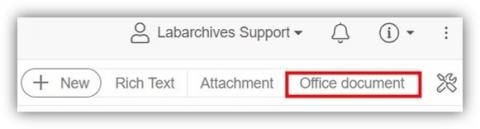
1. Select "Office Document" on the "Add Entry" toolbar.
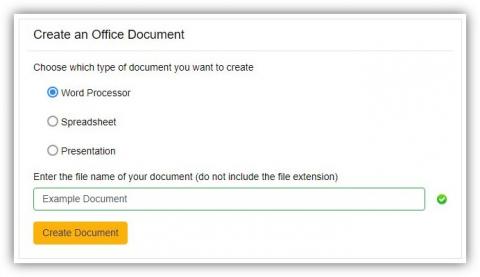
2. Select the document type you would like to create, enter a name for the document and click "Create your Office Document"
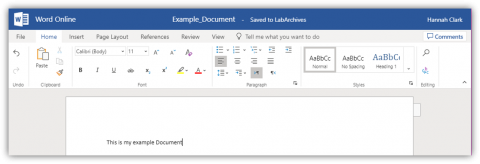
3. Work in your document. Microsoft Office Online will automatically save your changes. Close the tab to see your changes in LabArchives®.
Comments
0 comments
Please sign in to leave a comment.