
Simple yet powerful data management tools.
You have access to thousands of research data management tools within LabArchives®. Here are four you can start using today.
Organize data: Tags
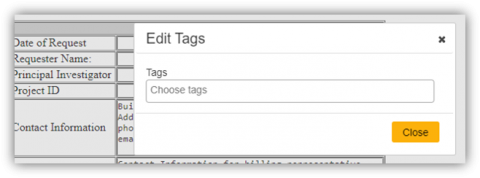
Above any entry, click the ellipses and click Tags add a tag. Tags make it easy to find entries that relate to one another. To search your tag library head to the search bar...
- Step-by-step instructions: 4.02.1 Tags [HTML]
Find data fast: Search
Search in one notebook or across all your notebooks, by users, tags, entry types, within date ranges or even by chemical structures.
- Step-by-step instructions: 8.02.2 Advanced Search [HTML]
Step-by-step instructions: 8.02.4 Search by Folder and Page [HTML]

Add images: Image Annotator
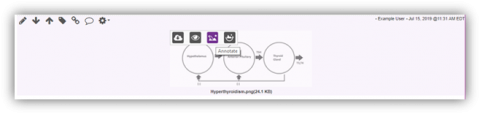
Upload an image as an attachment. Hover over the uploaded image and click on the third icon that appears. Add text, shapes and drawings with the image annotator.
- Step-by-step instructions: 4.06 Image Annotator [HTML]
Automate data upload: Folder Monitor
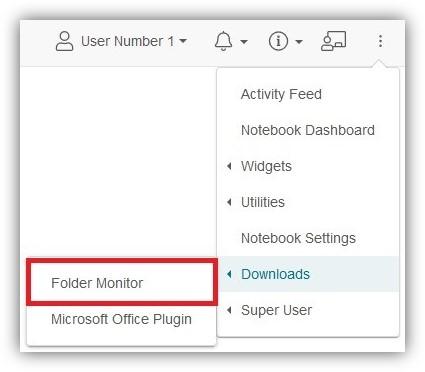
Upload files automatically from your equipment. Create upload rules to save time, stay organized and avoid file duplications.
- Step-by-step instructions: 7.01.1 LabArchives® Folder Monitor for Windows [HTML]
- Step-by-step instructions: 7.01.2 LabArchives® Folder Monitor for Mac [HTML]
Do better science with powerful features and functions.
Comments
0 comments
Please sign in to leave a comment.