
Protect your data every step of the way.
Not only is LabArchives® the most used digital lab notebook, it’s also the most secure.
Every LabArchives® user’s data is:
- Encrypted in transit and at rest
- Synced regularly between a primary and disaster recovery data center
- Regularly backed up in multiple locations in encrypted form
- Stored only on LabArchives® servers isolated from other corporate servers
- Protected by redundant, industry standard firewalls and security devices
- Monitored for suspicious activity
Revision History
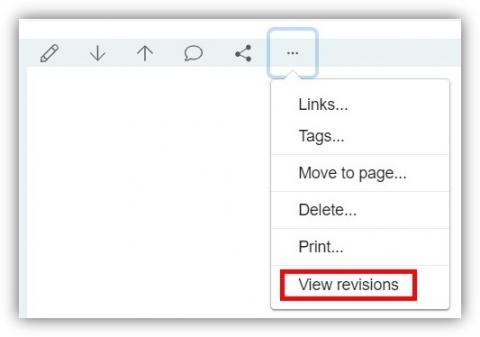
Documenting who did what research is crucial. In LabArchives®, revision history is recorded for every entry. To view this history simply hover over an entry, click the gear icon, click revisions. Immutable date and time stamps associated with each action ensure that attribution is clear in real time and years after publication.
- Step-by-step instructions: 4.01.2 Revision History [HTML]
Page signing and witnessing
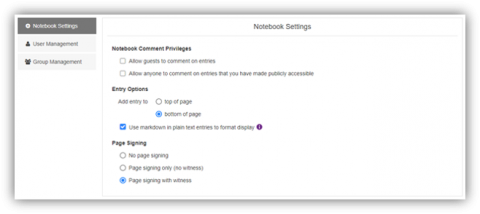
“Freeze” final results and disallow further changes with LabArchives® page signing and witnessing. Once a page has been signed no further edits can be made and no additional data can be added. A witness can reject a user's signature to unlock the page or witness the page to permanently freeze the page.
Example: A PI has created a Policy folder within his/her notebook and given access to his/her team members. To have a record that everyone has read the policies, he/she can create a copy of the policy for each team member and set user rights for that person to sign the page once if has been read.
- Step-by-step instructions: 8.03.1 Sign a Page [HTML]
- Step-by-step instructions: 8.03.02 Witness a Signed Page [HTML]
Do better, more secure science.
Comments
0 comments
Please sign in to leave a comment.