
Collaborate quickly and seamlessly, within your lab or across the globe.
There are thousands of ways to collaborate around research data within LabArchives®. Here are three powerful collaboration tools you can start using today.
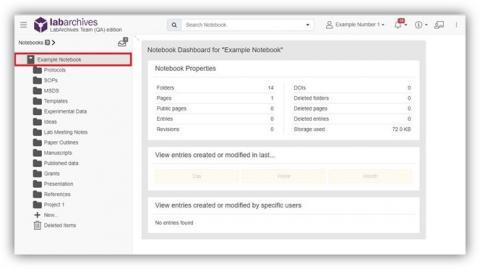
Notebook Dashboard
Get a one-click, high level overview of activity in your notebook. To access, click the notebook icon in the left hand menu. View entries from the last day, week or month and sort by user.
- Step-by-step instructions: 8.01.1 Notebook Dashboard [HTML]
Activity Feed
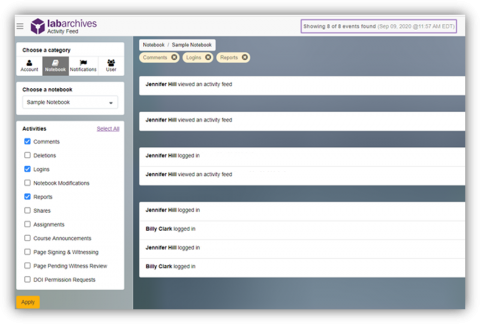
Head to the Activity Feed to get an in-depth look at who is doing what in your notebooks at any given time.
- Step-by-step instructions: 8.01.2 Activity Feed [HTML]
Comments
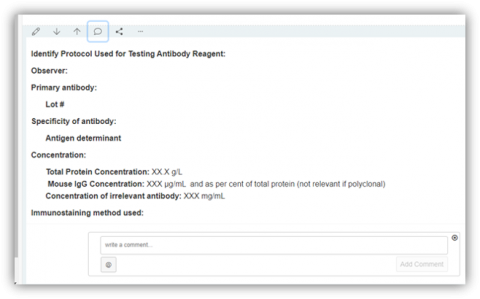
Draw a collaborator’s attention to an entry. Simply hover over any entry and click the speech bubble icon. Type @, select your collaborators name from the drop down and leave your comment.
Important note: Unlike an actual entry (such as text, images or any type of attachments), comments are not a permanent part of the notebook. These can be added, edited, and deleted at any time without it being logged in the revision history. Once deleted, a comment cannot be retrieved.
- Step-by-step instructions: 4.02.3 Comments and Mentions [HTML]
Do better science with streamlined, simple and global collaboration.
Comments
0 comments
Please sign in to leave a comment.